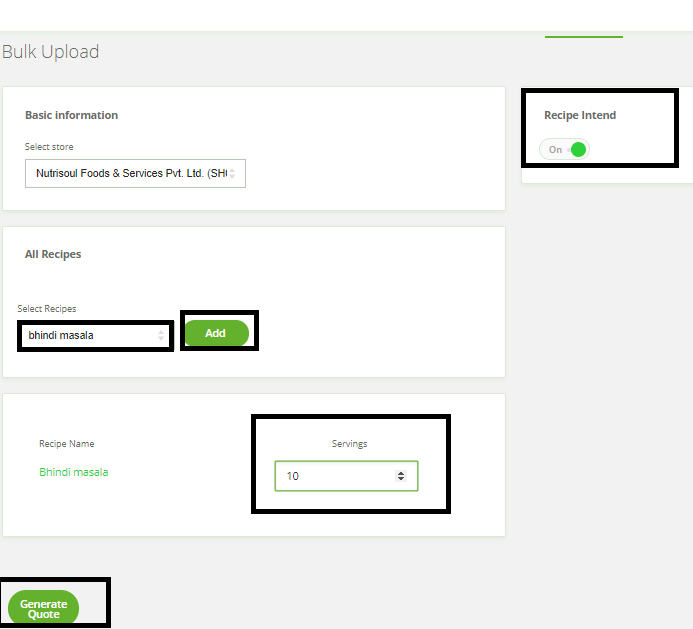
Please follow the steps for the recipe intended report for Central Kitchen
Login to Back Office > click on ‘recipe’ from the left menu > click on ‘Recipe  ’ > select shop from the ‘Select store’ > switch on
  ‘recipe intend’ option from right side menu > search for the item in ‘Select recipe’ for which recipe intend report need to generate (You can select multiple items one at a time) > Click on ‘Add’ Option > enter a quantity in ‘Servings’ option for all items which are added. > as the last step click on ‘Generate Quote’ > Report will be generated in excel format.