Rise POS
    • Pricing
    • Support
    Get Started

    How to connect Weighing Scale?

    Feb 5, 2021•1 min read•Updated Sep 3, 2023

    In RisePOS you can easily connect your Weighing Scale machine

    Note: Weighing Scale machine is connected to the android machine through Bluetooth. It is mainly used for loose items.

    Turn on Weighing Scale.

    Turn on the Bluetooth of the machine.

    Go to ‘Settings’ from the menu symbol
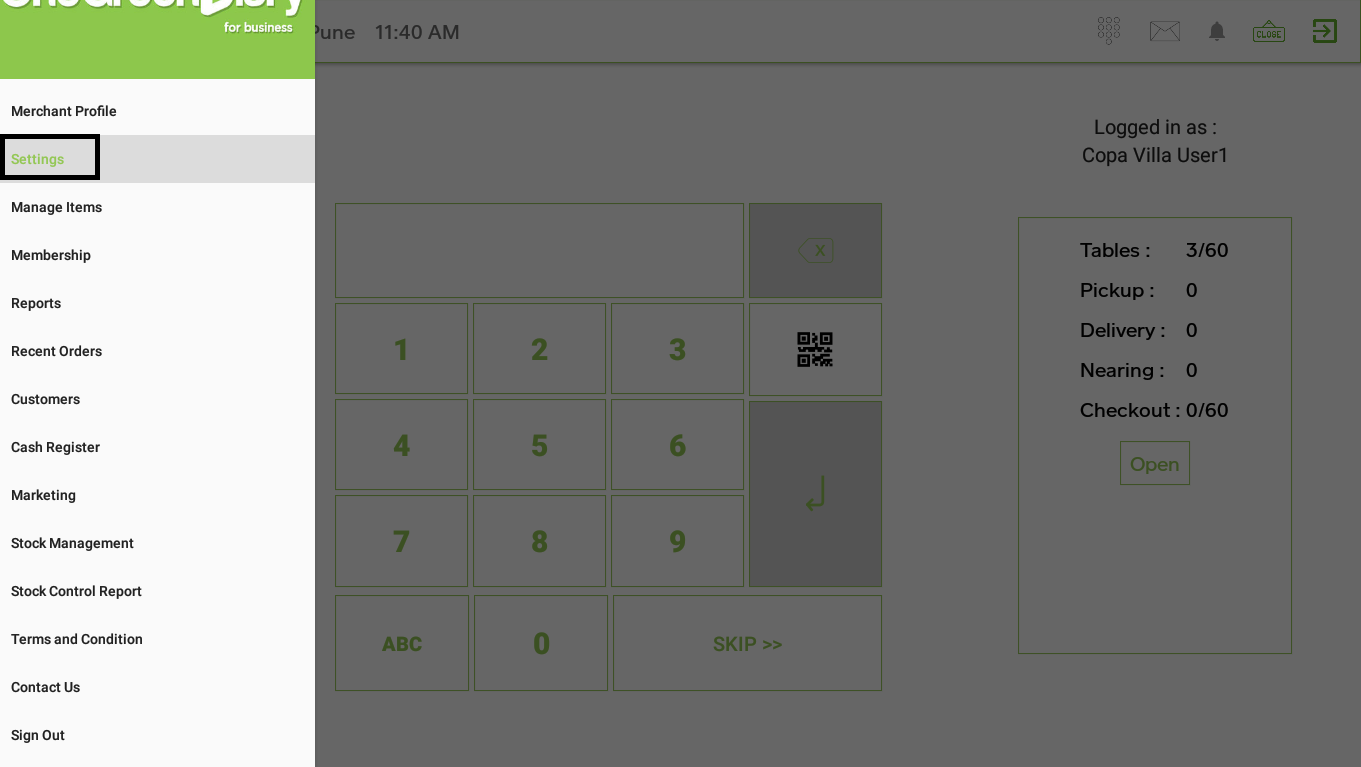
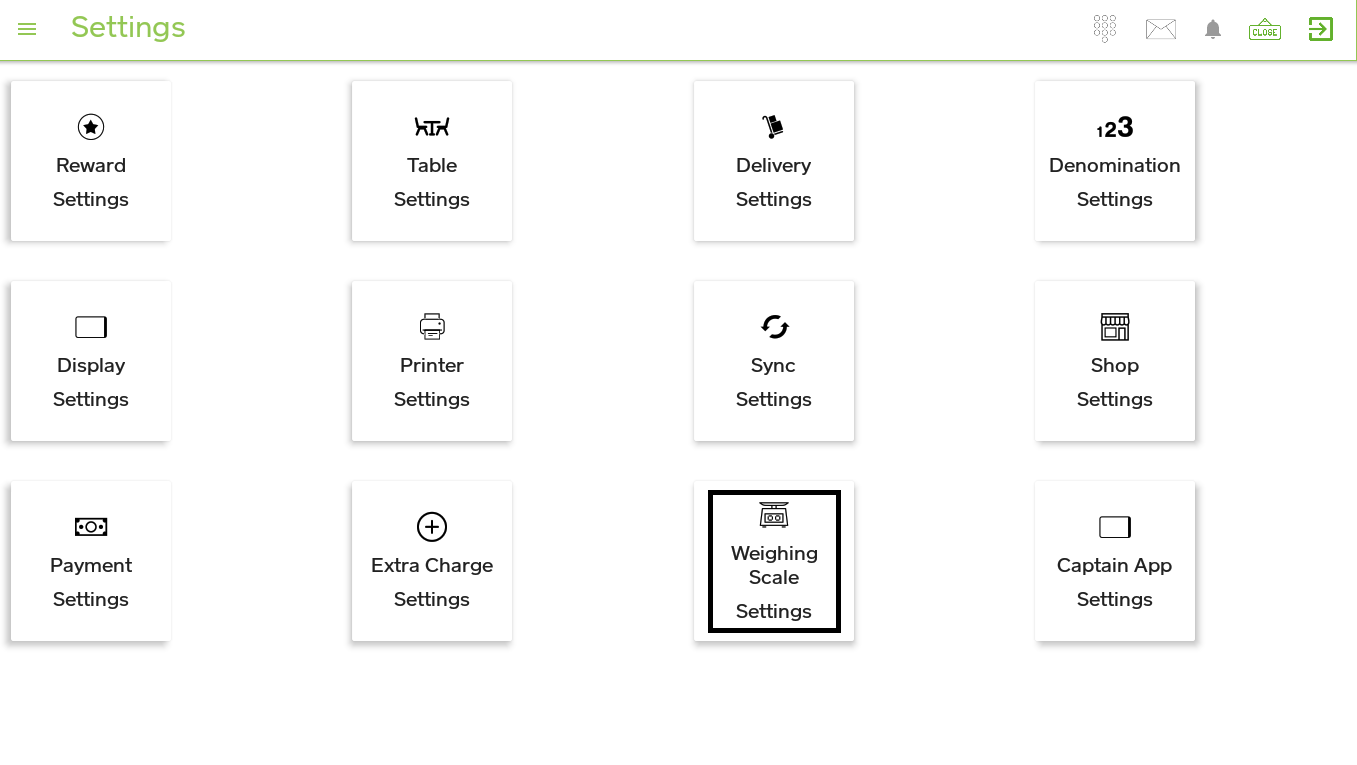
    Click on Weighing Scale Settings-> turn on Weight Scale -> click on Start Scan.
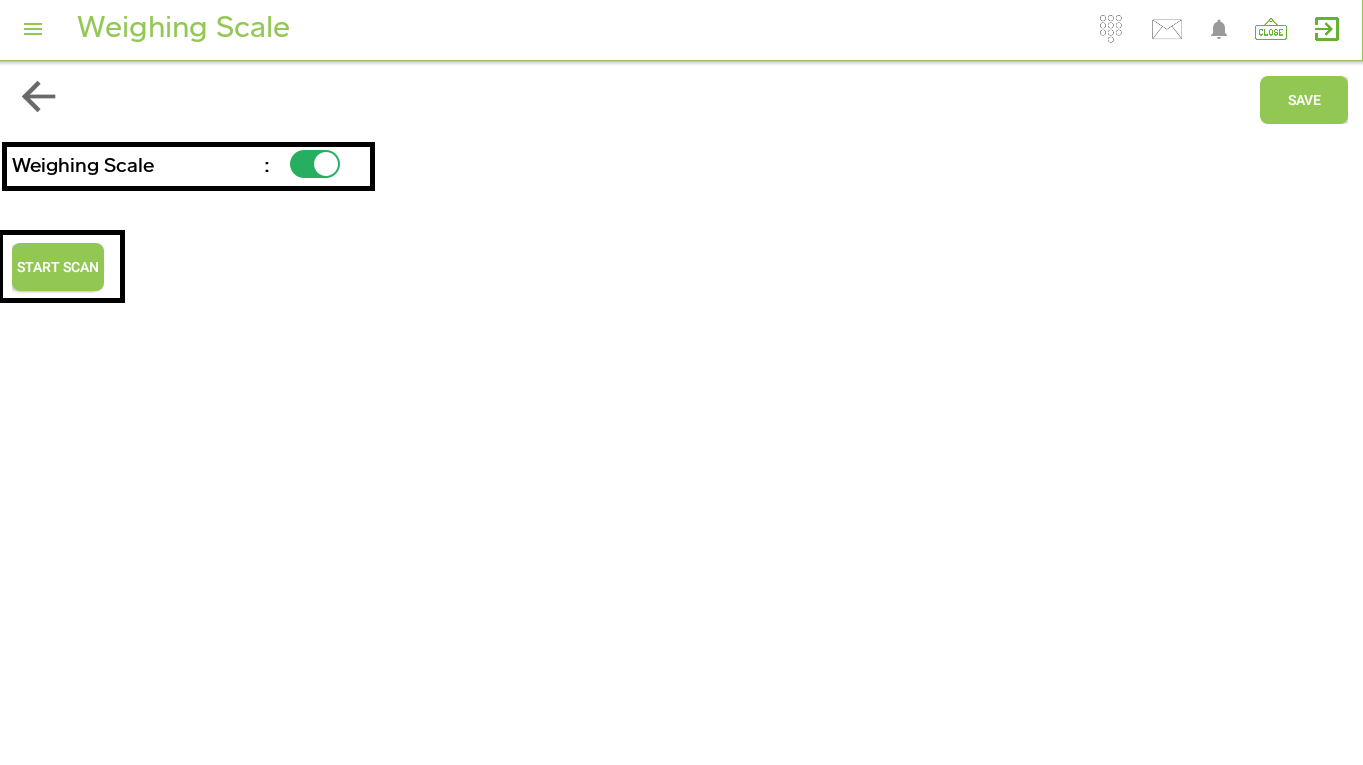
    After scanning is completed it will show the connect Weighing Scale list/address on the screen.

    After clicking on that address the machine is connected with the connect Weighing Scale

    More Help Topics

    Still Need Help?

    Contact our support team for assistance with your questions

    Rise POS

    Cloud-based POS solution for modern bakeries and restaurants.

    4.5 on Google Play

    POS

    • Billing
    • Inventory
    • Production Planning
    • Reports

    Solutions

    • E-commerce
    • ERP
    • Third Party Integrations

    Rise ERP

    • Rise ERP Overview
    • Rise POS Accounting
    • Rise Production
    • Karo HR
    • Stock Ordering App

    Pricing

    • View Plans

    Company

    • About Us
    • Blog
    • Contact
    • Help Center
    • Privacy Policy
    • Terms of Service

    © 2026 Rise POS. All rights reserved.