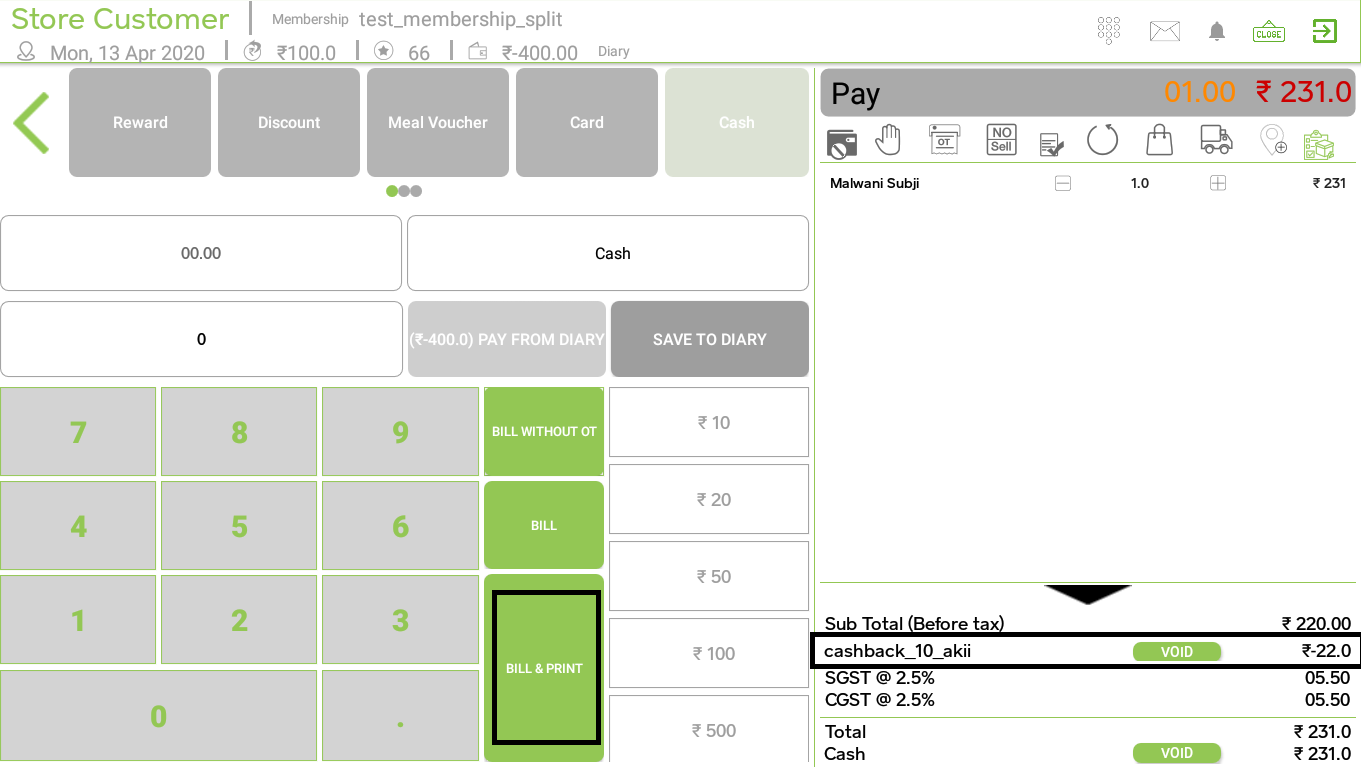
Please follow the steps to create cashback discounts
In the cashback discount, the cashback amount is added to the customer diary.
Login to back-office > from the left menu go to ‘MARKETING’ > select ‘Discount & Offers’ tab > click on ‘New Campaign’ button >
Add below mandatory details :
Campaign Name
Select Shop
Select Order Type
Select Start Date & Time and End Date & Time
Select Discount Type (Cashback) for Giving Discount for Item
Enter a Discount value in Percentage/Rupees
Minimum Order Value
Click on Exclusive: Cashback discounts are always Exclusive. We apply it manually.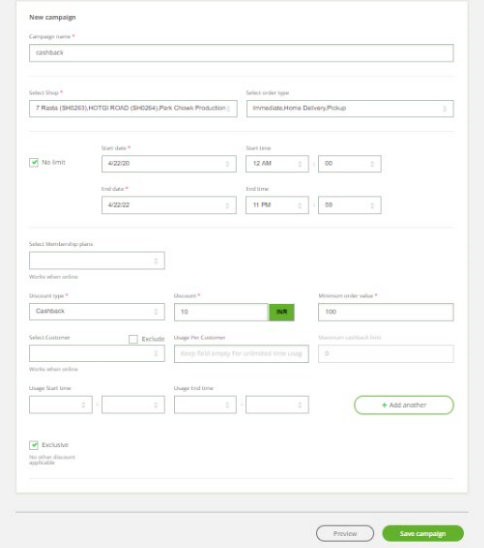
Note: ‘Exclusive Discount’ follows the below process on ‘Android POS’ to apply a discount on items.
Add Item in cart > click on the ‘Pay’ option.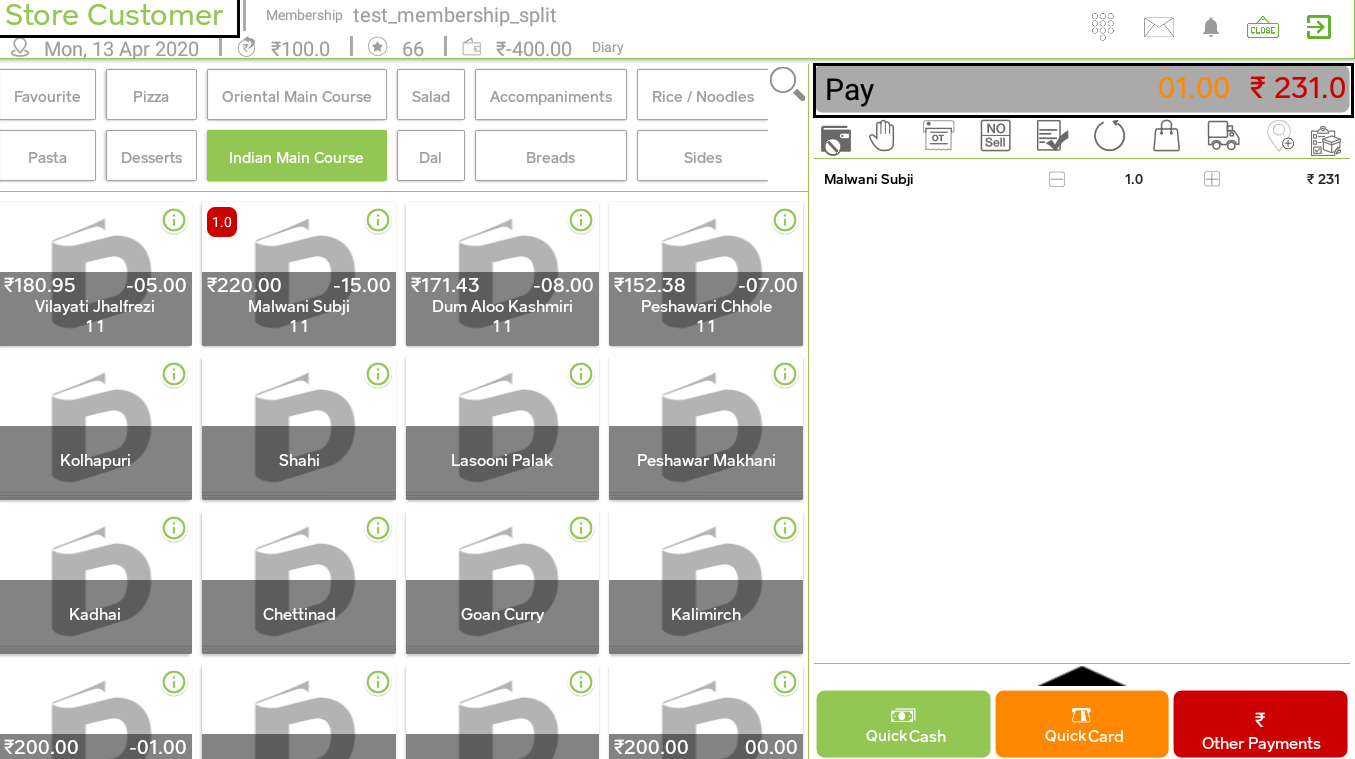
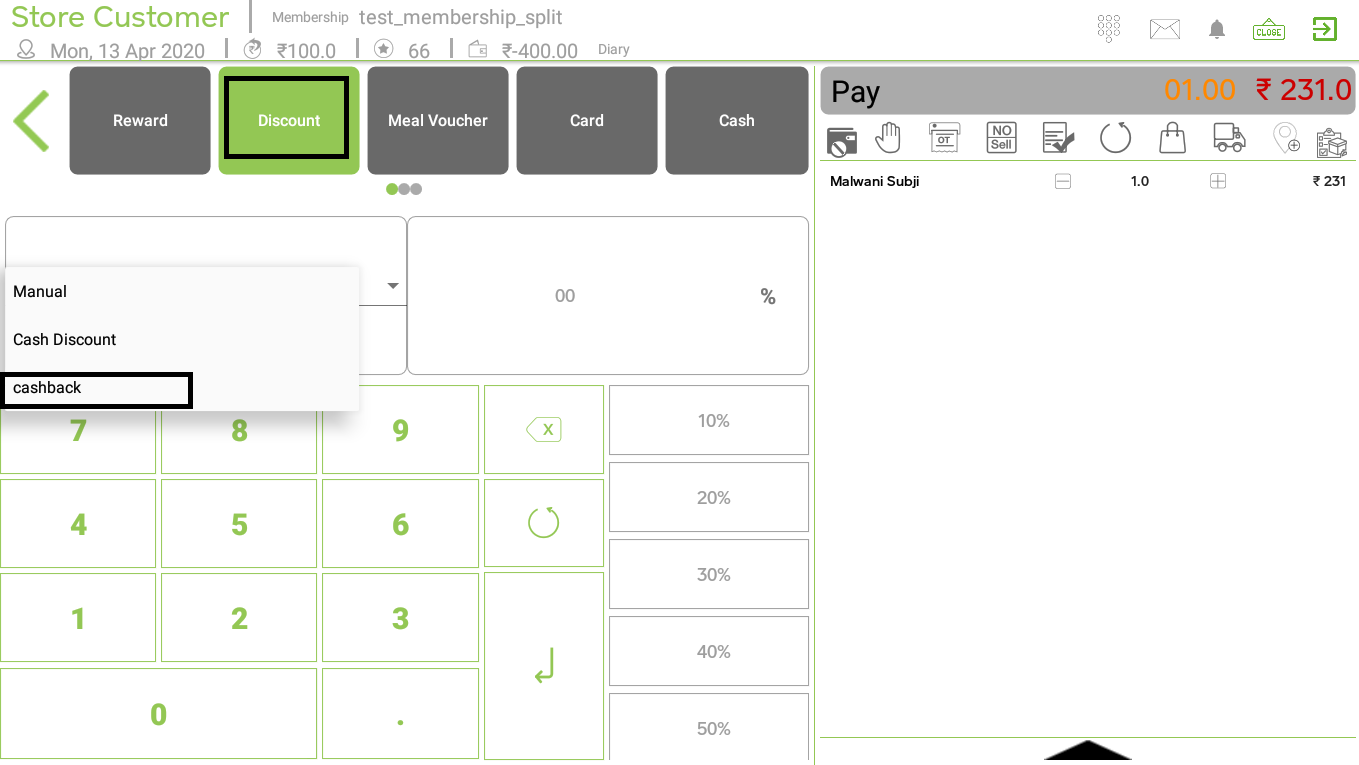
Select ‘Discount’ option > drop-down option will come on screen > select discount which you want to give on a particular item.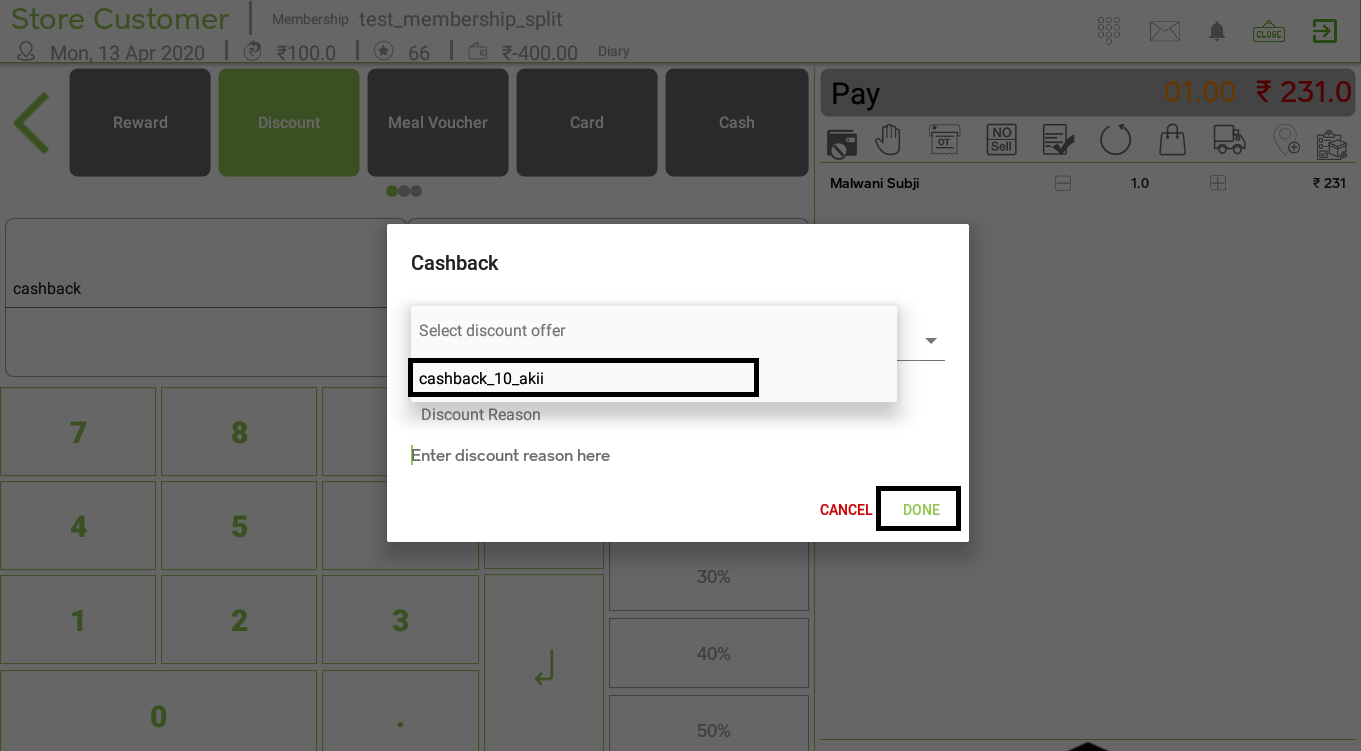
Click on payment type (eg. cash) > enter bill amount and click on ‘Enter’ option and print the bill.